
MCP config drift is when copies of the same server stop matching across your agents or projects.
One server works in Cursor but fails in Claude Code. Or both show the same name while running different commands, URLs, headers, or environment values.
TL;DR: Treat every copy of a server as its own thing. Find them, compare them, keep one per scope.
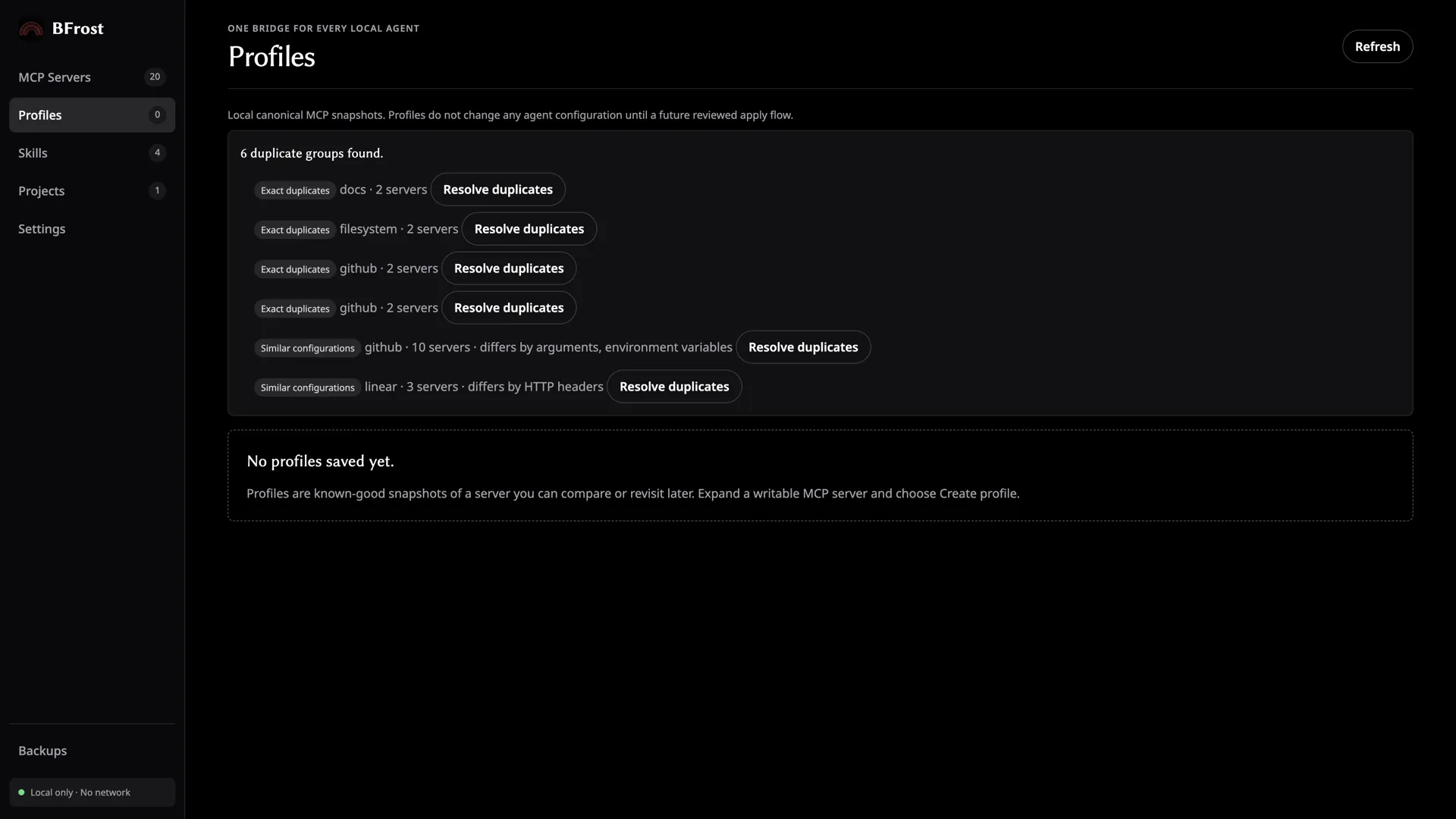
What MCP config drift looks like
Drift is not a syntax error. Every file can be valid on its own while the setup underneath is inconsistent. You probably have drift when:
- a server works in one agent and fails in another;
- the same server appears twice under slightly different names;
- one config still points to an old command or URL;
- a project config overrides a user config you forgot about;
- one tool was updated and the others were not.
Why it happens
Agents do not share a native MCP file. Claude Code, Cursor, Codex, Gemini CLI, and VS Code all keep their own paths and structure.
Some use JSON. Codex uses TOML. Some use mcpServers; VS Code uses servers. Those differences make copy-and-paste edits hard to track.
For the exact files to check, see MCP config file locations and formats.
How to check for drift manually
- List the agents and repositories you actually use.
- Find their user and project config files.
- Group entries by server name, command, endpoint, and environment values.
- Compare the copies before deciding which one is the one to keep.
If the same server definition is intentional in two scopes, write that down. An intentional duplicate is easy to live with; a forgotten one is not.
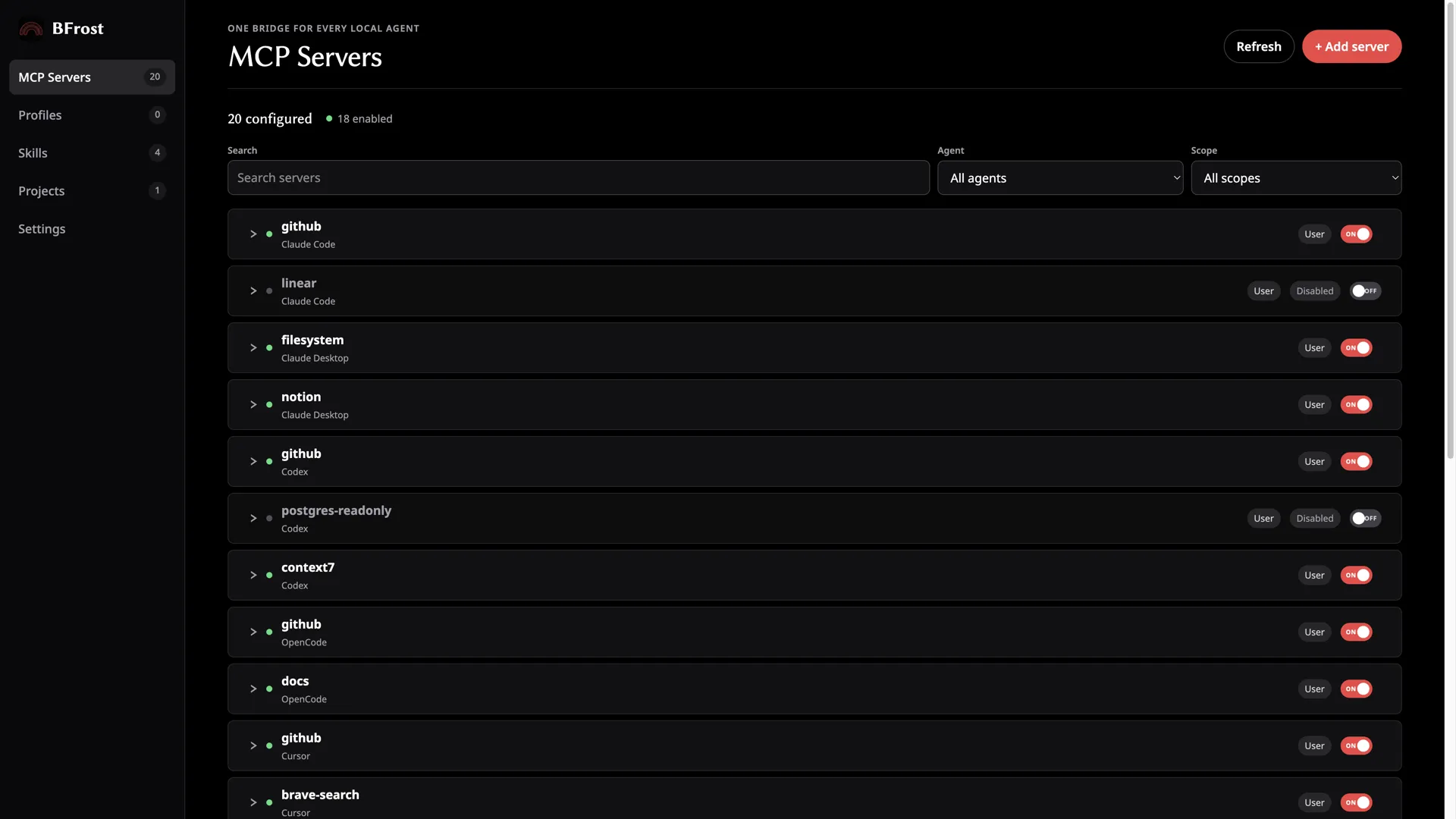
How to stop it coming back
Keep the setup small and deliberate. Back up before edits, make one change at a time, and re-check related agent and project configs after an update.
A local inventory tool helps when you have more copies than you can reliably check by hand. The point is visibility before anything gets written. BFrost covers that flow end to end: see the feature list for how inventory, duplicate detection, and previews fit together.
FAQ
Is MCP config drift the same as config sprawl?
No. Sprawl is the scattered collection of files and copies. Drift is when those copies no longer agree.
Can valid config files still have drift?
Yes. Each file can be valid on its own while two copies of the same server carry different settings.
Should I delete every duplicate MCP server?
Not until you know which copy to keep and whether the duplicate belongs to a different scope.
Does an enabled server prove the setup is working?
No. It only describes the config state. You still need to verify the server starts and connects.