


Local only
Your config stays on your machine. No sign in, no uploads, and secret values are never shown.
One app for every agent config
BFrost manages the MCP servers and Skills inside the config files of 15 AI agents: Claude Code, Cursor, Codex, VS Code, and more. Edit in a form, check the preview, get a backup.
One-time purchase · macOS today · Windows in development · Read the multi-agent MCP guide
Works with 15 agents
See the full list → Claude Code
 Claude Desktop
 Cursor
 Codex
Codex Gemini CLI
Every AI coding agent stores its MCP servers in its own file, in its own folder, in its own format. Nothing shows them together. Servers drift, and things break quietly.
BFrost reads the files your tools already use. 11 agents get full editing. 4 more show up read-only, so your list is still complete. No new format. No account.
~/.claude.json~/.cursor/mcp.json~/.codex/config.toml~/.codeium/windsurf/mcp_config.json…and 11 more like these.
The real app, recorded. Pick a feature to watch it work, or play the full tour.
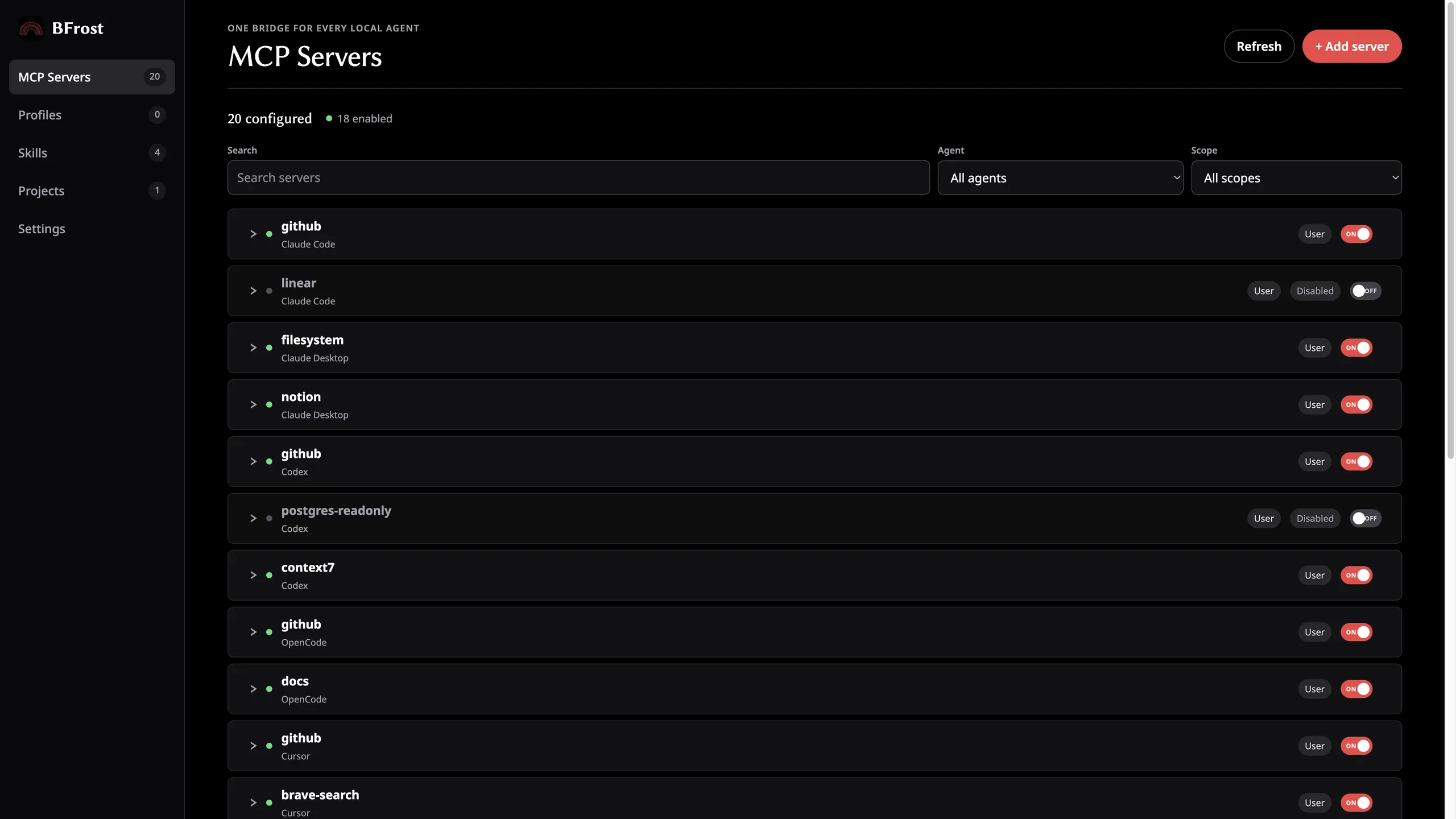
All MCP servers across 15 agents and your project folders, grouped by agent. Filter by tool or scope.
Fill a form instead. Set the command, URL, variables, and headers, then check the preview before you save.
The switch writes the on/off field your agent already uses. No switch in your agent? BFrost removes the entry instead.
Identical and near-identical servers get grouped. One click keeps the first and removes the rest, after a backup.
Save a server's settings, then copy it into another agent's config. With a preview, a backup, and a conflict check.
Find, create, copy, share, and delete Skills across Claude Code, Codex, OpenCode, and Cursor.
Register a project and BFrost picks up its project-level config next to your user setup.
Writes are atomic and the old file is kept with a timestamp. Restore any version in one click.
No account. No telemetry. No network calls unless you test a server yourself.
BFrost edits the files your agents depend on. It goes out of its way to stay safe.
Your config stays on your machine. No sign in, no uploads, and secret values are never shown.
Every change shows you exactly what will be written before it happens.
BFrost saves a timestamped copy before it touches a supported config file.
Pick any previous version and restore it in one click.
VS Code, Windsurf, Trae, and Pi show as view-only. BFrost never edits a file it cannot manage.
One app for MCP servers and agent Skills. No subscription.
$39.99$19.99Early adopter price. Goes up to $39.99 after the first 500 customers.
For macOS today. Windows is in development.
$19.99
One-time purchase. One year of updates.
Secure checkout with Stripe. Download BFrost right after payment.
A Mac app that manages MCP server and Skill settings for 15 AI agents, including Claude Code, Cursor, Codex, VS Code, and Windsurf. It edits the config files those agents already use. Nothing leaves your machine.
11 agents get full editing: Claude Code, Claude Desktop, Codex, Factory Droid, Grok Build, Cursor, Cline, Devin CLI, OpenCode, Gemini CLI, and Antigravity. VS Code, Windsurf, Trae, and Pi show up read-only.
No. BFrost never starts your servers and never calls an endpoint unless you test one yourself. It edits config files. That is all.
You can, for one tool. But each agent has its own way of adding servers, so 15 agents means the same edits 15 times with no backup. BFrost puts every config in one list and adds previews, duplicate cleanup, and restore points.
No. The app works offline. Checkout happens on the website, separate from the app.
It reads your config files, so it needs access. It never shows secret values and never sends your config, file paths, or keys anywhere. This website measures page visits only.
The app keeps working. You can renew for another year of updates, but you never lose access to what you downloaded.
It is in development. Leave your email at the bottom of the page and we will send one message when it is out.
Stripe takes you straight to your download page and emails you the same link.
Leave your email. We will send one message when the Windows build is out. That's it.


